# Event Management

## 1: Settings

Go to Event >> Settings

![General Setting](https://2435146040-files.gitbook.io/~/files/v0/b/gitbook-legacy-files/o/assets%2F-MUMH_Ze2qH_8FWVC0TY%2F-MVGGlcg1jvU4YAhbAdw%2F-MVGKMxNQmQTkyqLuXu7%2FScreen%20Shot%202021-03-08%20at%205.14.32%20PM.jpg?alt=media\&token=1c3660a2-a5f2-4b33-b8c9-15530ef423fd)

![Event Setting](https://2435146040-files.gitbook.io/~/files/v0/b/gitbook-legacy-files/o/assets%2F-MUMH_Ze2qH_8FWVC0TY%2F-MVGGlcg1jvU4YAhbAdw%2F-MVGKQ_x586zdvM0hzjS%2FScreen%20Shot%202021-03-08%20at%205.14.54%20PM.jpg?alt=media\&token=1eecbb6b-b36f-4264-a00d-65ba50d6a497)

## 2: Manage Category

Go to Event >> Type >> Add New Type

![Type](https://2435146040-files.gitbook.io/~/files/v0/b/gitbook-legacy-files/o/assets%2F-MUMH_Ze2qH_8FWVC0TY%2F-MVGKTKBs_JUIHAAe9rM%2F-MVGKhQiqU-avnzD2UhU%2FScreen%20Shot%202021-03-08%20at%205.16.21%20PM.jpg?alt=media\&token=183783f6-f52a-4100-82a4-86dc5b4ce105)

## 3: List events

Go to Event >> All Events >> See List Event

![](https://2435146040-files.gitbook.io/~/files/v0/b/gitbook-legacy-files/o/assets%2F-MUMH_Ze2qH_8FWVC0TY%2F-MVGMRgrg6lYSOw9SAgX%2F-MVGMgKFvDtf0n2TwkXy%2FScreen%20Shot%202021-03-08%20at%205.25.08%20PM.jpg?alt=media\&token=b5533798-6556-4908-a1dc-5bf860b2743f)

## 4: Event Elements in Elementor

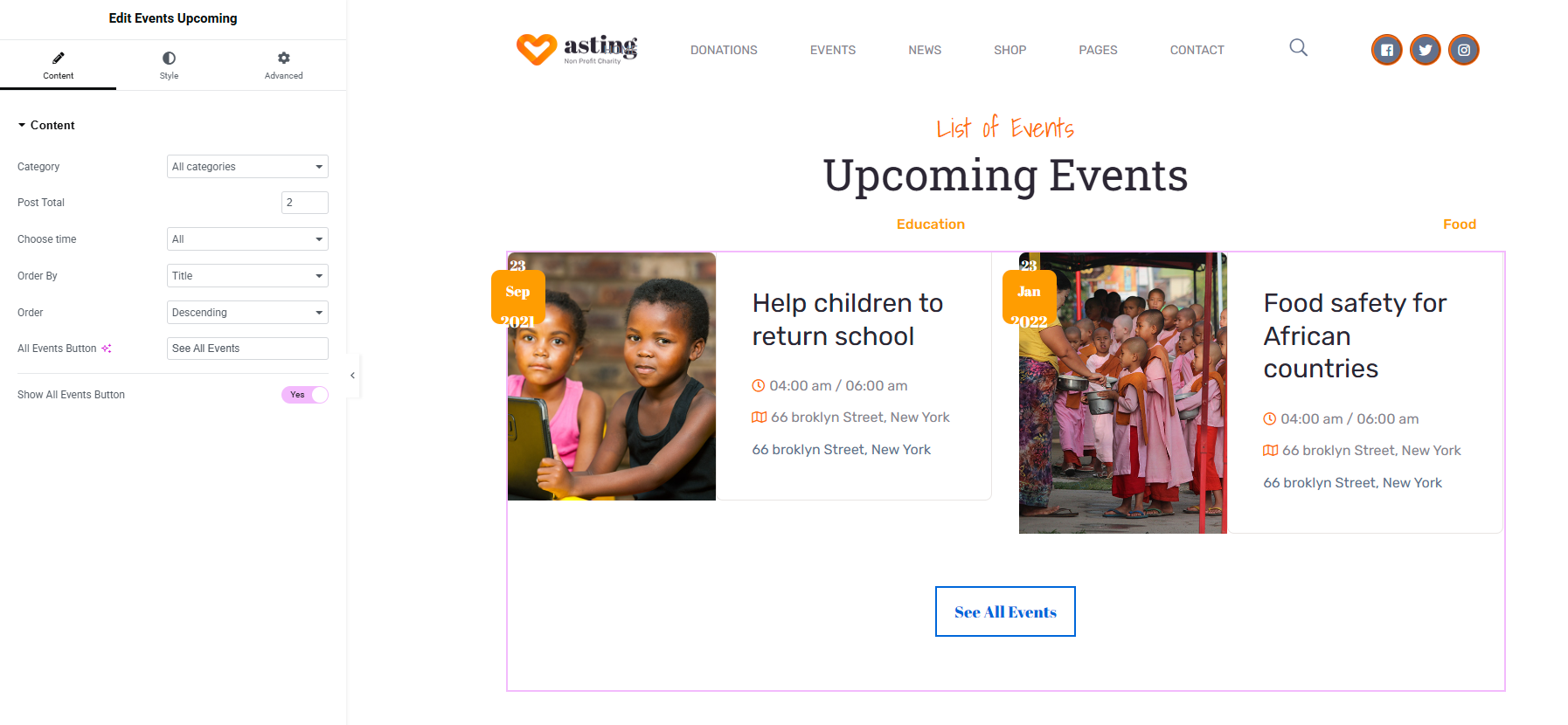
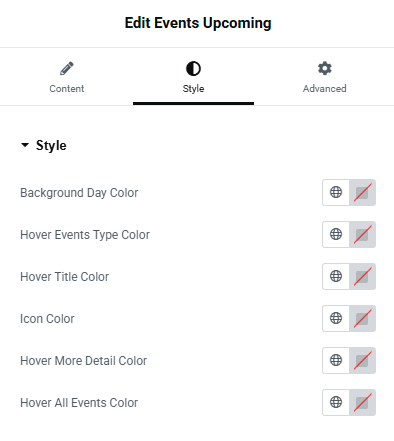
### 4.1: Events Upcoming

<figure><img src="https://2435146040-files.gitbook.io/~/files/v0/b/gitbook-x-prod.appspot.com/o/spaces%2F-MUMH_Ze2qH_8FWVC0TY%2Fuploads%2FGlegoUjITFjZUOilox2G%2Fevent-upcoming-element-in-elementor-asting.png?alt=media&#x26;token=df2c354c-6ab0-4b25-9fdc-a1009a580c82" alt=""><figcaption></figcaption></figure>

<figure><img src="https://2435146040-files.gitbook.io/~/files/v0/b/gitbook-x-prod.appspot.com/o/spaces%2F-MUMH_Ze2qH_8FWVC0TY%2Fuploads%2FblFB5ebUXanpID1eNIvl%2Fevent-upcoming-element-in-elementor-asting-1.png?alt=media&#x26;token=f98c7fc7-2c11-43a2-a2d1-563e5ac2930f" alt=""><figcaption></figcaption></figure>

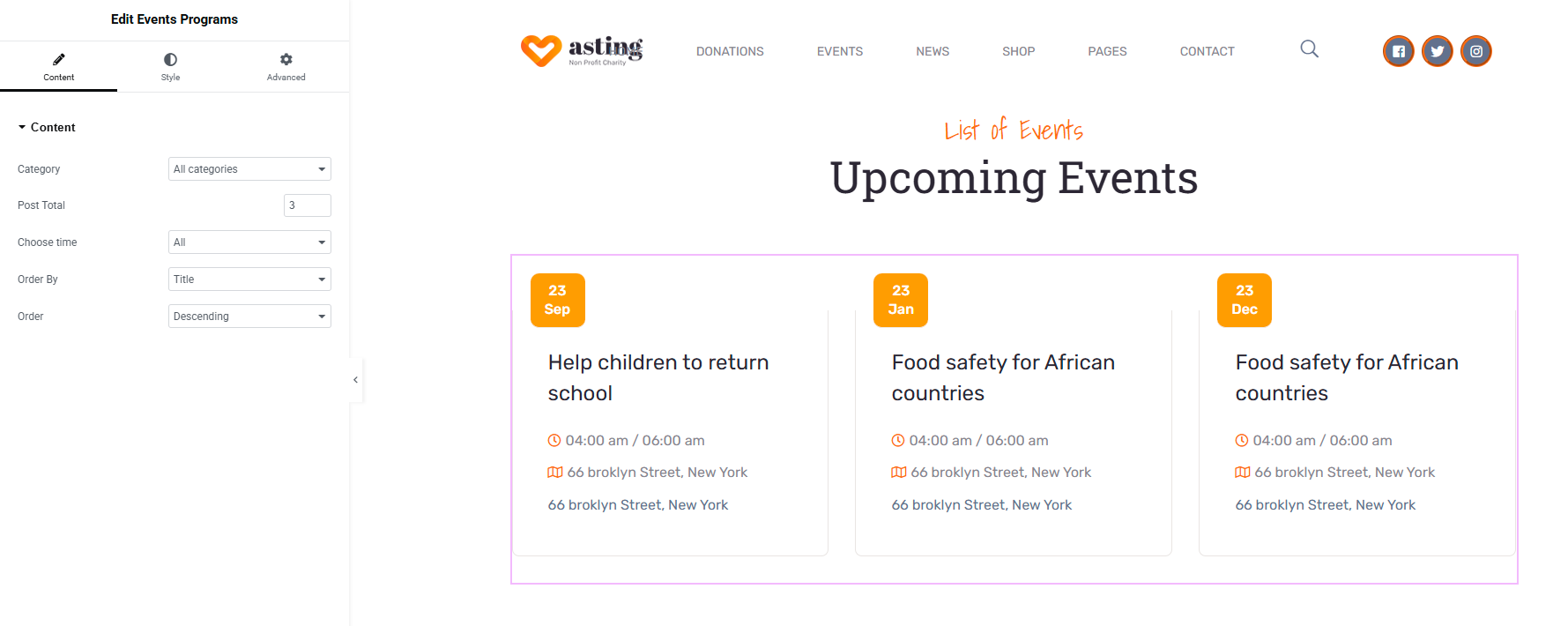
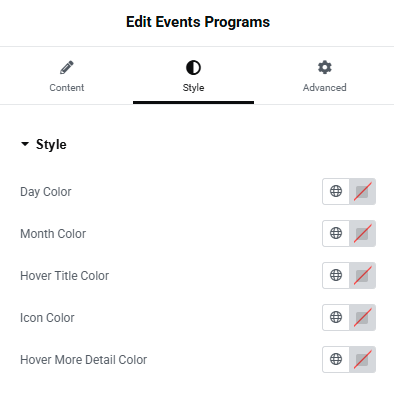
### 4.2: Event Programs

<figure><img src="https://2435146040-files.gitbook.io/~/files/v0/b/gitbook-x-prod.appspot.com/o/spaces%2F-MUMH_Ze2qH_8FWVC0TY%2Fuploads%2F5fTd9JpMao6b80Magj6E%2Fevent-program-element-in-elementor-asting.png?alt=media&#x26;token=cf39e28a-3e47-498d-b373-d420f4670b8d" alt=""><figcaption></figcaption></figure>

<figure><img src="https://2435146040-files.gitbook.io/~/files/v0/b/gitbook-x-prod.appspot.com/o/spaces%2F-MUMH_Ze2qH_8FWVC0TY%2Fuploads%2FFlVcF8KvMsFq6i4CWKDJ%2Fevent-program-element-in-elementor-asting-1.png?alt=media&#x26;token=a53ad636-7adf-46b4-821a-16c00c093f5e" alt=""><figcaption></figcaption></figure>

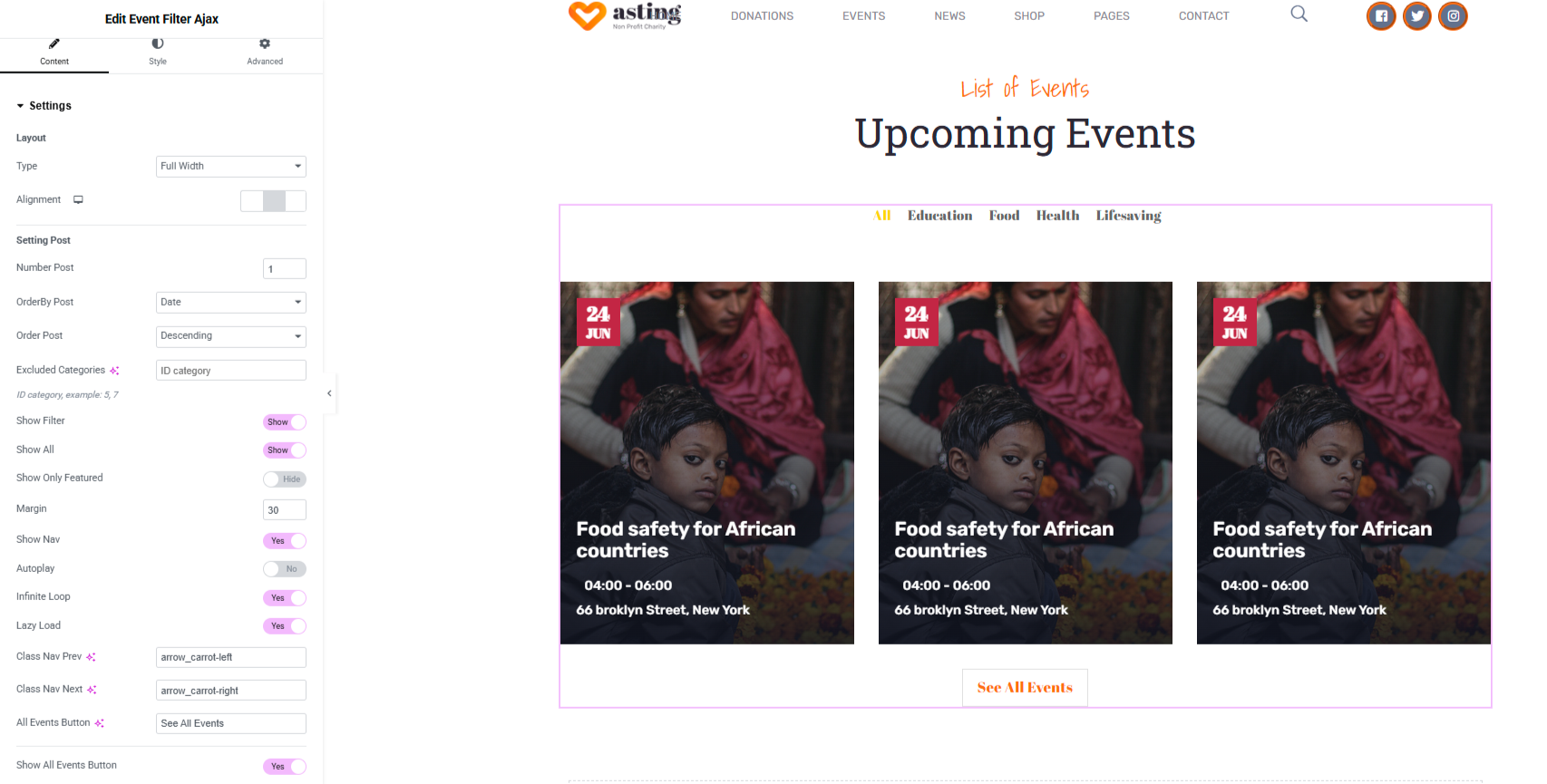
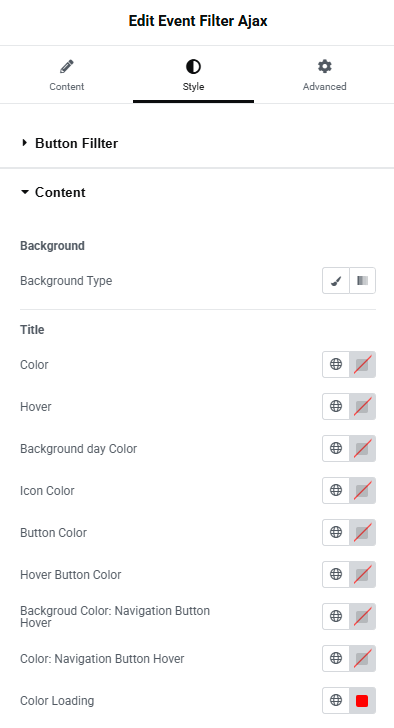
### 4.3: Event Fliter Ajax

<figure><img src="https://2435146040-files.gitbook.io/~/files/v0/b/gitbook-x-prod.appspot.com/o/spaces%2F-MUMH_Ze2qH_8FWVC0TY%2Fuploads%2FYRU2nJDw6LPpaVx5dGQg%2Fevent-filter-ajax-element-in-elementor-asting.png?alt=media&#x26;token=d273c9bd-4ebb-4a9d-9bd9-f0485d617bdf" alt=""><figcaption></figcaption></figure>

<div><figure><img src="https://2435146040-files.gitbook.io/~/files/v0/b/gitbook-x-prod.appspot.com/o/spaces%2F-MUMH_Ze2qH_8FWVC0TY%2Fuploads%2FM5nGMc9qgrqu9tJcjhA2%2Fevent-filter-ajax-element-in-elementor-asting-1.png?alt=media&#x26;token=93705749-f16d-41d6-be05-4116d110a531" alt=""><figcaption></figcaption></figure> <figure><img src="https://2435146040-files.gitbook.io/~/files/v0/b/gitbook-x-prod.appspot.com/o/spaces%2F-MUMH_Ze2qH_8FWVC0TY%2Fuploads%2Fo2zD4UvBoykD9mnEMsCG%2Fevent-filter-ajax-element-in-elementor-asting-2.png?alt=media&#x26;token=62475016-31a4-4cf6-8e14-052425aadcbb" alt=""><figcaption></figcaption></figure></div>

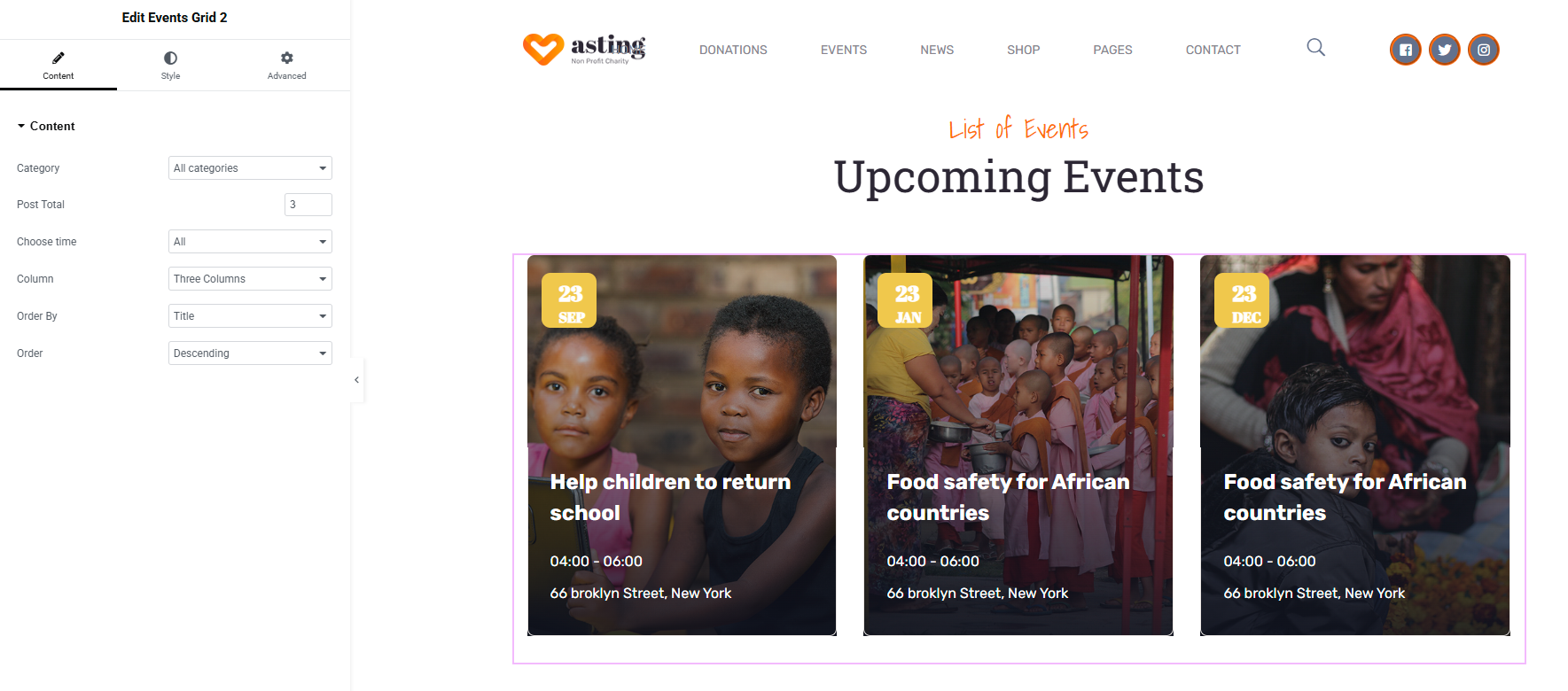
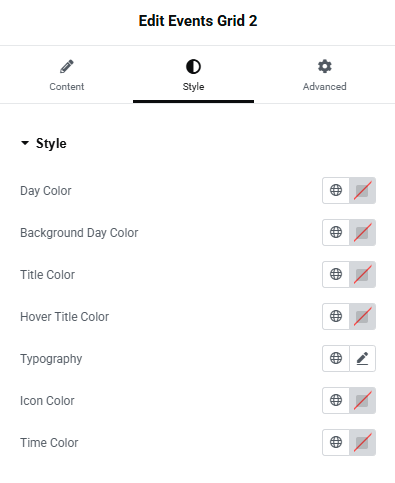
### 4.4: Event Grid 2

<figure><img src="https://2435146040-files.gitbook.io/~/files/v0/b/gitbook-x-prod.appspot.com/o/spaces%2F-MUMH_Ze2qH_8FWVC0TY%2Fuploads%2FKAyRAMAGKREmVQH7nePp%2Fevent-grid-2-element-in-elementor-asting.png?alt=media&#x26;token=d1641314-482c-48cc-ad11-39c534b85b70" alt=""><figcaption></figcaption></figure>

<figure><img src="https://2435146040-files.gitbook.io/~/files/v0/b/gitbook-x-prod.appspot.com/o/spaces%2F-MUMH_Ze2qH_8FWVC0TY%2Fuploads%2FpSluqsWRhyjMJ4PjdhNK%2Fevent-grid-2-element-in-elementor-asting-1.png?alt=media&#x26;token=2395a40f-f703-442b-872f-db08b4789da6" alt=""><figcaption></figcaption></figure>

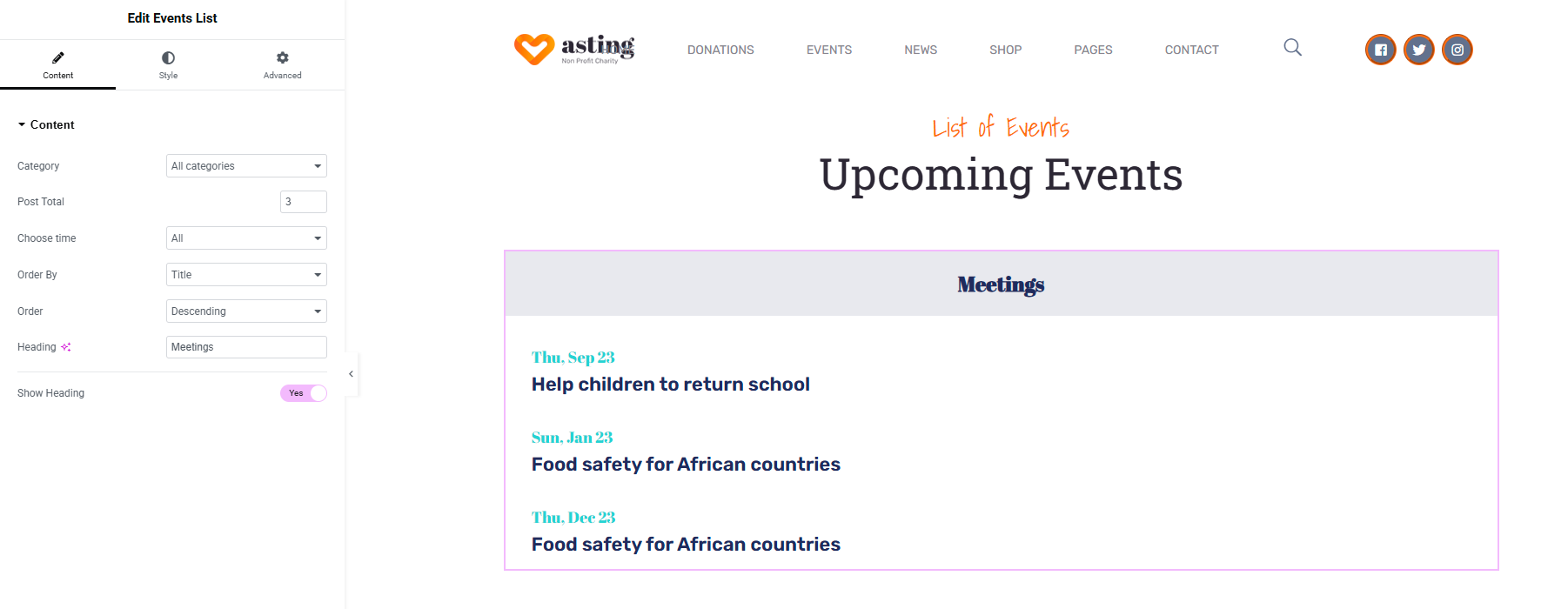
### 4.5: Event List

<figure><img src="https://2435146040-files.gitbook.io/~/files/v0/b/gitbook-x-prod.appspot.com/o/spaces%2F-MUMH_Ze2qH_8FWVC0TY%2Fuploads%2FGehKX3DgLlzD4eHFmvPo%2Fevent-list-element-in-elementor-asting.png?alt=media&#x26;token=8ed4189d-fc5c-4bac-82c9-91e68f98a666" alt=""><figcaption></figcaption></figure>

<figure><img src="https://2435146040-files.gitbook.io/~/files/v0/b/gitbook-x-prod.appspot.com/o/spaces%2F-MUMH_Ze2qH_8FWVC0TY%2Fuploads%2FxpY9YO3r3IRsyFueyz8l%2Fevent-list-element-in-elementor-asting-1.png?alt=media&#x26;token=7cb2e79b-4474-4f58-8577-112009c13279" alt=""><figcaption></figcaption></figure>

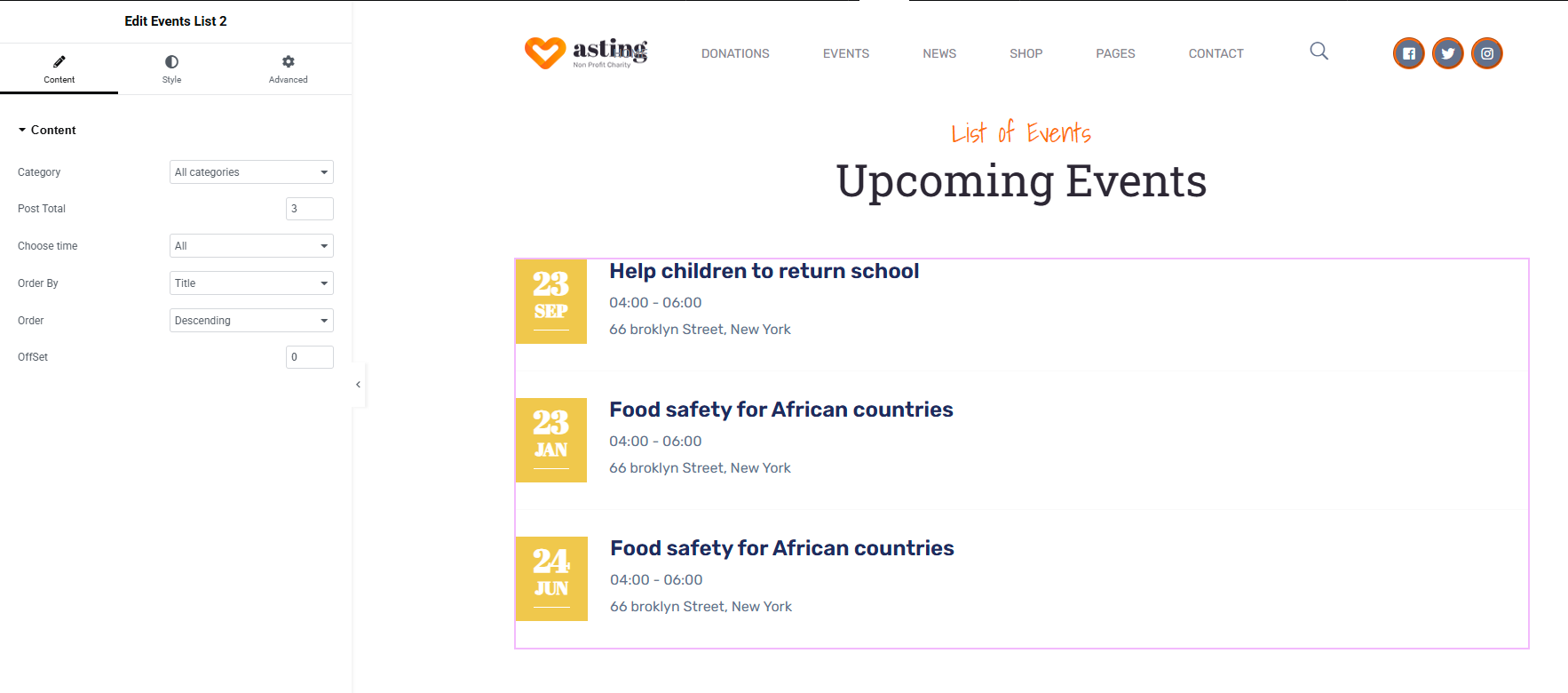
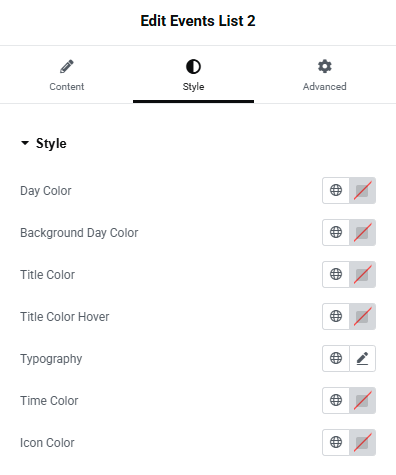
### 4.6: Event List 2

<figure><img src="https://2435146040-files.gitbook.io/~/files/v0/b/gitbook-x-prod.appspot.com/o/spaces%2F-MUMH_Ze2qH_8FWVC0TY%2Fuploads%2FFi3dBiVj9Dn5nGWJcPwf%2Fevent-list-2-element-in-elementor-asting.png?alt=media&#x26;token=518bc2bb-d352-4ed0-8df5-861501ec74f1" alt=""><figcaption></figcaption></figure>

<figure><img src="https://2435146040-files.gitbook.io/~/files/v0/b/gitbook-x-prod.appspot.com/o/spaces%2F-MUMH_Ze2qH_8FWVC0TY%2Fuploads%2FrmKMfGtQz3WYUQB1negq%2Fevent-list-2-element-in-elementor-asting-1.png?alt=media&#x26;token=d29acb26-cfd5-4080-9282-530e0dd59809" alt=""><figcaption></figcaption></figure>

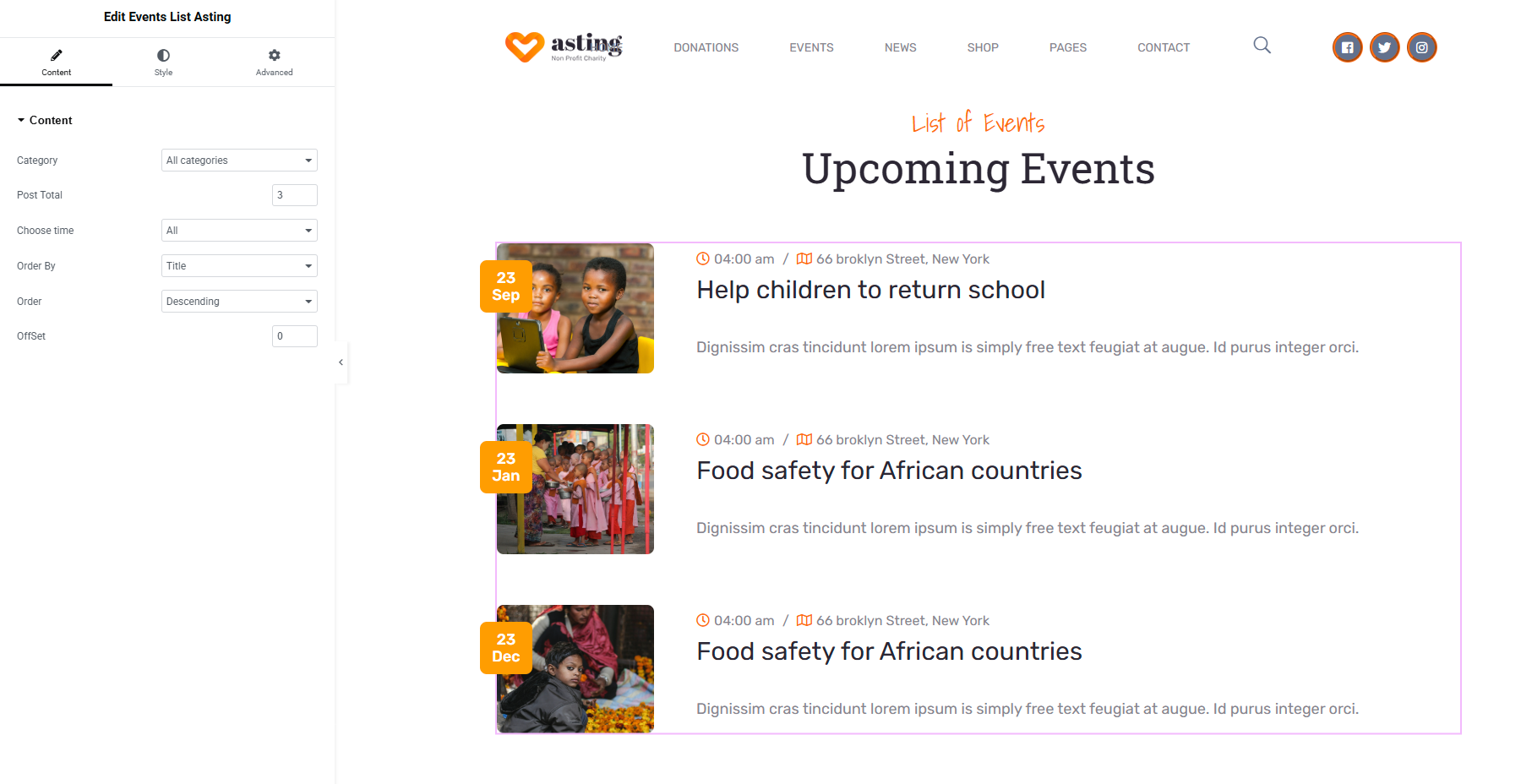
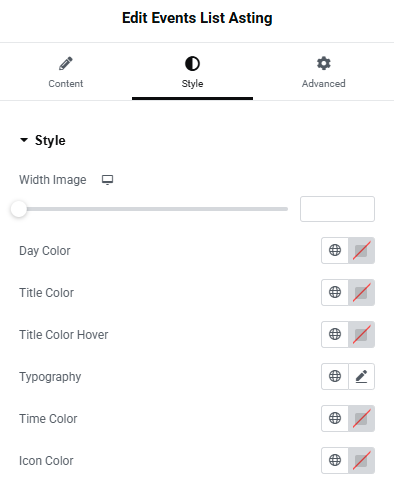
### 4.7: Event List Asting

<figure><img src="https://2435146040-files.gitbook.io/~/files/v0/b/gitbook-x-prod.appspot.com/o/spaces%2F-MUMH_Ze2qH_8FWVC0TY%2Fuploads%2FOb6lcKVqRH2C15GGbJ5S%2Fevent-list-asting-element-in-elementor-asting.png?alt=media&#x26;token=ca01ef6b-eb0e-4063-9cbc-9c7effabeb4a" alt=""><figcaption></figcaption></figure>

<figure><img src="https://2435146040-files.gitbook.io/~/files/v0/b/gitbook-x-prod.appspot.com/o/spaces%2F-MUMH_Ze2qH_8FWVC0TY%2Fuploads%2FvGahnvcqE7cYlqI1RmAg%2Fevent-list-asting-element-in-elementor-asting-1.png?alt=media&#x26;token=48421a84-089b-4a28-aa14-1bfa6c76aa5d" alt=""><figcaption></figcaption></figure>

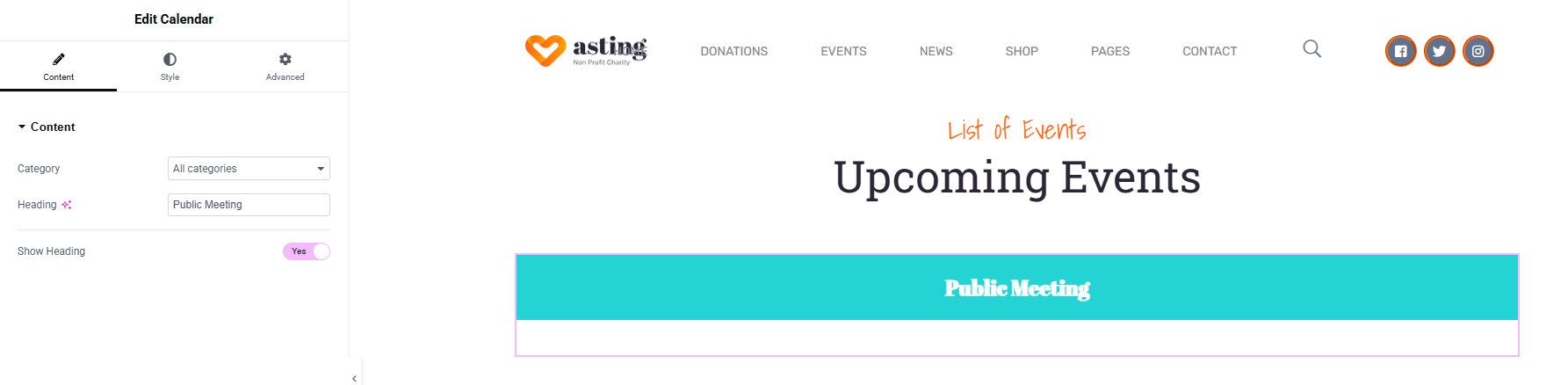
### 4.8: Calendar

<div><figure><img src="https://2435146040-files.gitbook.io/~/files/v0/b/gitbook-x-prod.appspot.com/o/spaces%2F-MUMH_Ze2qH_8FWVC0TY%2Fuploads%2Fq6b4YmCJkA0clY5Zte7B%2Fcalendar-element-in-elementor-asting.png?alt=media&#x26;token=f7399d1c-6aff-422a-b9c3-1e01754c397d" alt=""><figcaption><p>Set in Elementor</p></figcaption></figure> <figure><img src="https://2435146040-files.gitbook.io/~/files/v0/b/gitbook-x-prod.appspot.com/o/spaces%2F-MUMH_Ze2qH_8FWVC0TY%2Fuploads%2FugI0kZOi6Mi94IMDZTV2%2Fcalendar-element-in-elementor-asting-0.png?alt=media&#x26;token=49dfe202-869f-4290-9c35-b28d1dc98792" alt=""><figcaption><p>Display in the frontend</p></figcaption></figure></div>

<figure><img src="https://2435146040-files.gitbook.io/~/files/v0/b/gitbook-x-prod.appspot.com/o/spaces%2F-MUMH_Ze2qH_8FWVC0TY%2Fuploads%2FyVhSypFM3sWVdw4TAmt2%2Fcalendar-element-in-elementor-asting-1.png?alt=media&#x26;token=e8ee9d56-bf90-48ba-bddd-562bebe59412" alt=""><figcaption></figcaption></figure>